
Certificates
The Certificates view is where you manage the certificates your agents use to communicate securely with data sources and destinations. By synchronizing certificates through NXLog Platform you no longer need to manually maintain certificates files in each individual NXLog Agent instance.
Navigate to Agents > Certificates to access the page.
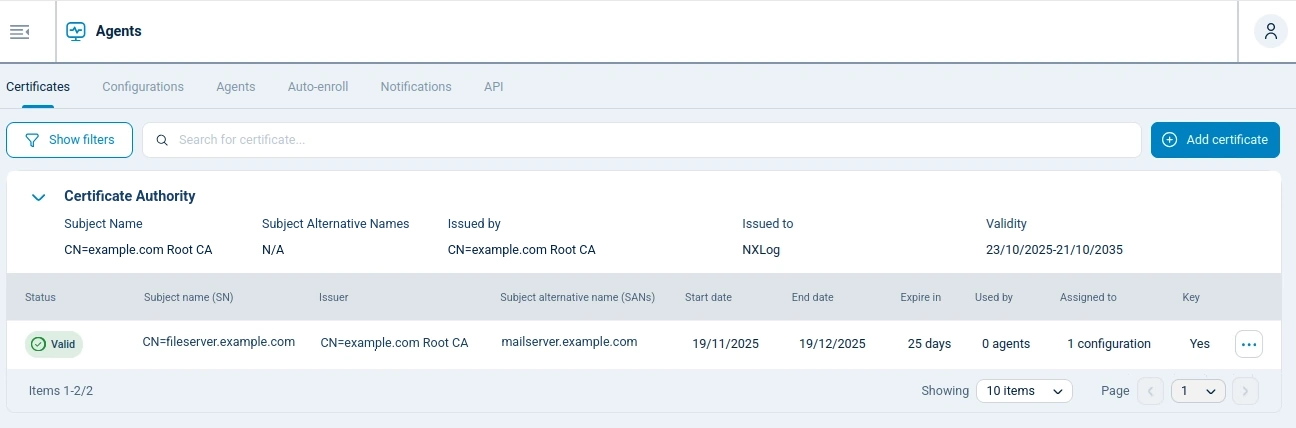
Certificate authorities
The view shows the certificates grouped by their certificate authority, the trusted organization that issued the certificates.
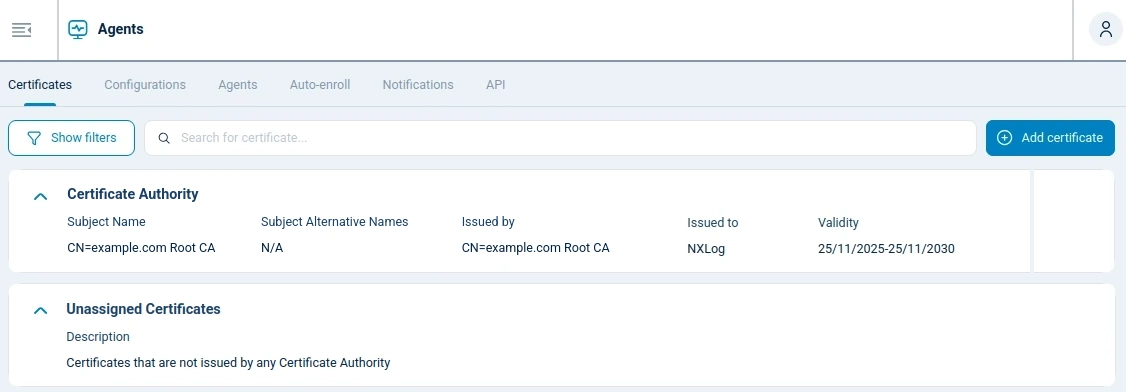
| Column | Description |
|---|---|
Subject name (SN) |
Primary identity of the certificate. |
Subject alternative name (SANs) |
Additional identities, other than the subject name, for which the certificate authority certificate is also valid. |
Issued by |
Attributes of the certificate authority that issued the certificate. |
Issued to |
Entity that uses the certificate. |
Validity |
Start and end date of the certificate authority certificate. |
Certificates
By expanding a certificate authority, you can view the certificates it signed.
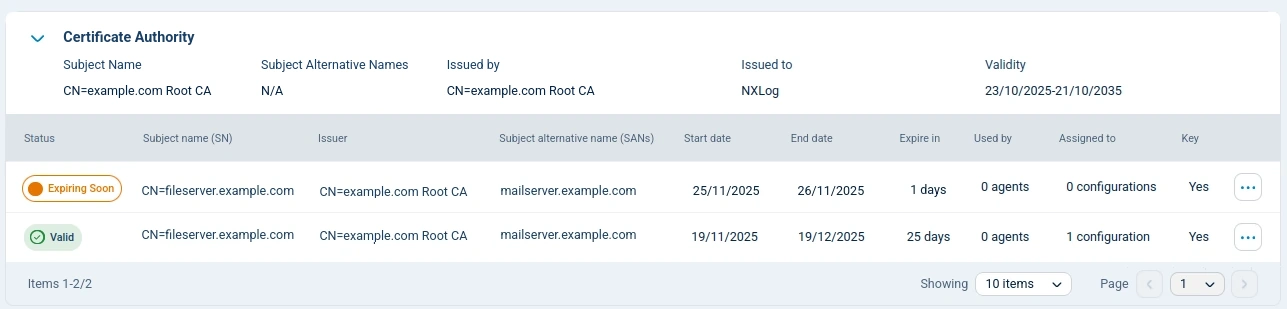
| Column | Description |
|---|---|
Status |
Shows the certificate’s status. The possible states are:
|
Subject name (SN) |
Primary identity of the certificate. |
Issuer |
Entity that verified and signed the certificate. |
Subject alternative name (SANs) |
Additional identities, other than the subject name, for which the certificate is also valid. |
Start date |
The earliest day on which the certificate is valid. |
End date |
The last day when the certificate is valid. |
Expire in |
Number of days remaining before the end date. |
Used by |
Number of agents with assigned configurations that use this certificate. You can’t delete a certificate that’s used by agents unless you replace it with another valid certificate. |
Assigned to |
Number of configurations that are currently using this certificate. You can’t delete a certificate that’s used in a configuration, even if the configuration isn’t assigned to agents, unless you replace it with another valid certificate. |
Key |
Indicates if the certificate has a private key. |
Actions |
Certificate control functions. The possible options are:
For more details on using these actions see Manage certificates. |
Certificate details
Choose View details from the … dropdown menu to see the certificate details. You can also use this view to delete or update the certificate.
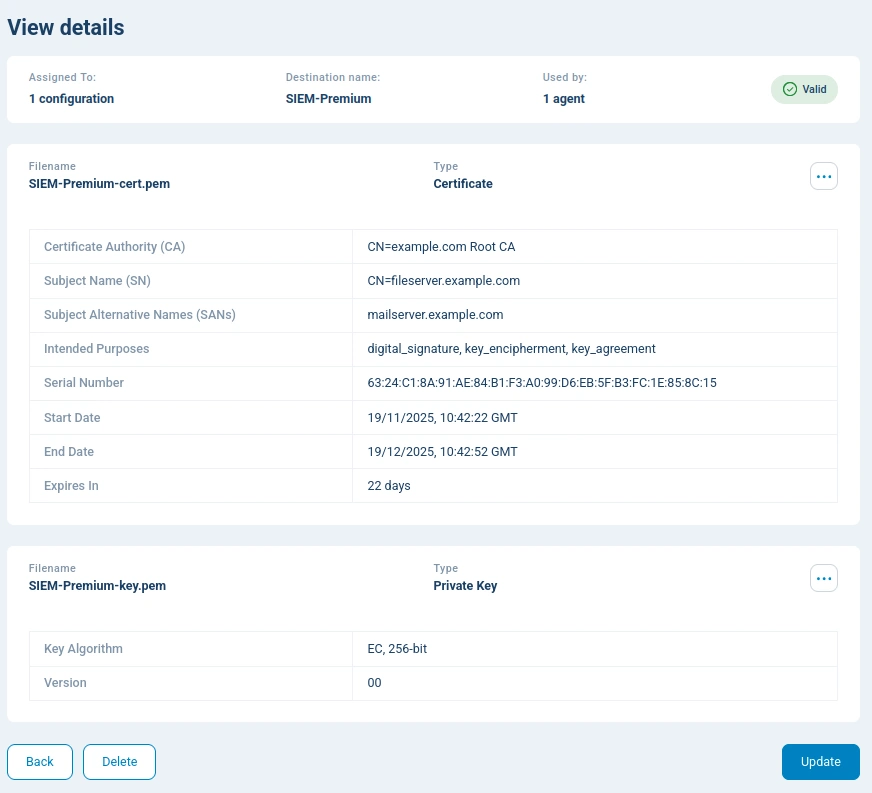
| Field | Description |
|---|---|
Assigned to |
Number of configurations that are currently using this certificate. You can’t delete a certificate that’s used in a configuration, even if the configuration isn’t assigned to agents, unless you replace it with another valid certificate. |
Destination name |
Usage description, used for context and filenames, defined when the certificate was added to NXLog Platform. |
Used by |
Number of agents with assigned configurations that use this certificate. You can’t delete a certificate that’s used by agents unless you replace it with another valid certificate. |
Status |
Shows the certificate’s status. The possible states are:
|
Filename |
The certificate filename used locally by agents. The filename syntax starts with the certificate’s destination name. |
Type |
Type of file, such as certificate or private key. |
Certificate authority (CA) |
Primary identity of the certificate authority that issued the certificate. |
Subject name (SN) |
Primary identity of the certificate. |
Serial number |
Unique identifier assigned by the certificate authority. |
Start date |
The earliest day on which the certificate is valid. |
End date |
The last day when the certificate is valid. |
Expires in |
Number of days remaining before the end date. |
Key algorithm |
Cryptographic algorithm used in the private key. |
Version |
Version of the private key structure. |