
Entitlements usage
The Entitlements usage page shows a detailed breakdown of how your data sources are calculated against your license entitlement. To open it, select the chevron on the entitlements usage widget on the Overview page.
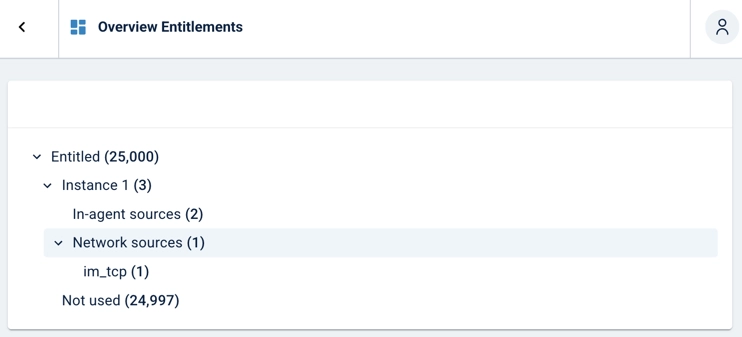
The usage tree breaks down your data source count by collection method.
| Node | Description |
|---|---|
Entitled |
The total number of data sources included in your license. |
Instance |
The NXLog Platform instance and the total number of data sources it accounts for. |
In-agent sources |
Number of enrolled NXLog Agent instances. Each agent counts as one data source toward your entitlement, regardless of the configured inputs. |
Network sources |
Number of sources that send data over the network, broken down by module.
Each module used for network collection, such as |
Not used |
The number of entitled log sources that are not currently in use. This node is replaced by Overage once your usage exceeds your entitled quota. |
Overage |
The number of log sources over your entitled quota. This node only appears once your usage exceeds your entitled quota, replacing Not used. |